Free Fire For PC: The Ultimate Guide to Download, Play & Dominate in 2024 🚀
Welcome, desi gamers! This is your definitive, no-nonsense guide to conquering Garena Free Fire on your PC. Whether you're migrating from mobile or starting fresh, we've got exclusive data, pro strategies, and everything you need to top the leaderboards on the Indian server. Let's dive in! 🔥
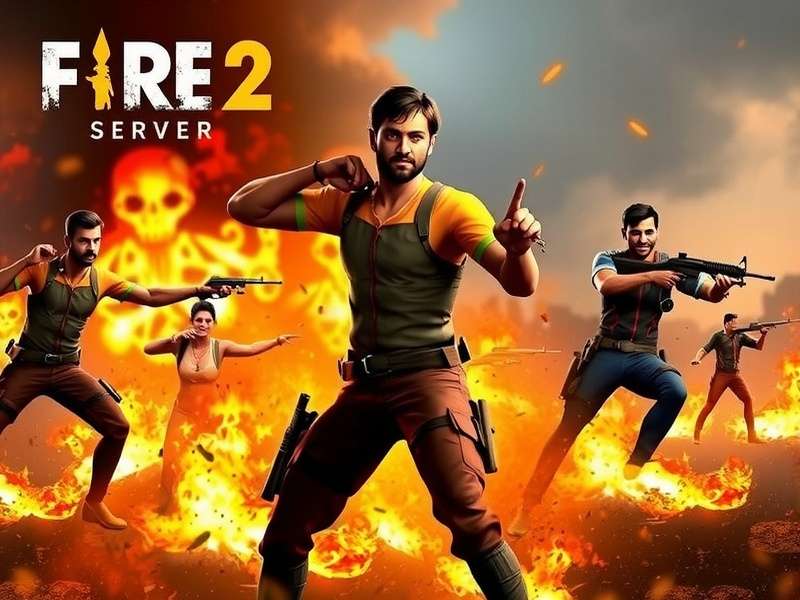
Experience the ultimate battle royale on a bigger screen with enhanced controls.
✨ Why Free Fire on PC is a Game-Changer for Indian Players
The Free Fire frenzy in India is real! While millions enjoy it on mobile, playing on PC unlocks a whole new dimension of precision, strategy, and visual immersion. The recent launch of Free Fire Max in India has further enhanced the experience with superior graphics. This guide is crafted specifically for the Indian gaming community, addressing local preferences, server tips, and the unique meta that evolves on our servers.
Pro Tip: Many top Indian esports athletes, like the stars from Total Gaming and Desi Gamers, practice on PC emulators for better aim training and macro strategy planning. It’s not cheating—it’s smart gaming!
📥 Step-by-Step Guide: Download & Install Free Fire on PC (Indian Server)
You cannot directly download a PC version from the Play Store. The official method involves using a robust Android emulator. Here’s the safest, most optimized method for Indian gamers.
Method 1: Using Gameloop (Official Partner Emulator)
Gameloop, formerly Tencent Gaming Buddy, is optimized for Free Fire and offers keymapping and performance tweaks.
- Visit the official Gameloop website and download the installer.
- Install Gameloop on your PC (ensure you have at least 4GB RAM and a dedicated GPU for smooth performance).
- Open the Gameloop "Game Center" and search for "Garena Free Fire".
- Click install. It will download the game files directly.
- Once installed, launch the game and log in with your Facebook, Google, or VK account.
- CRUCIAL STEP: Ensure your game server is set to India in the settings for the best ping and local matches. Need help? Check our guide on setting up the India server.
Method 2: For Free Fire Max Enthusiasts
If you want the enhanced graphics of Free Fire Max, the process is similar. Search for "Indian Free Fire Max for PC" within Gameloop. The installation is identical, but the visual fidelity is significantly better, provided your PC can handle it.
⚠️ Warning: Avoid third-party APK files from unknown sites. They may contain malware or result in a ban. Always download via the official emulator store or Google Play. For our Nepali brothers wanting to access the Indian server, we have a specific guide: How to Download Indian Server Free Fire in Nepal.
🎮 Mastering PC Gameplay: Controls, Settings & Optimization
Transitioning from touch to keyboard & mouse can be daunting. Here’s how to get pro-level control quickly.
Essential Keymapping
Gameloop provides a default keymap, but customization is key. Here’s a popular pro setup:
- Movement: WASD (standard)
- Aim/Shoot: Mouse Left-Click (Shoot), Right-Click (Aim Down Sights)
- Crouch/Jump: C / Spacebar
- Weapon Slots: 1, 2, 3, 4
- Heal/Use: F
- Map: M
Practice this in the Training Ground for at least 30 minutes before jumping into a real match.
Graphic Settings for Indian Internet Speeds
Not everyone has fiber-optic Jio. Optimize for performance:
- Graphics: Set to "Smooth" for highest FPS. High FPS > Fancy graphics for competitive play.
- Resolution: Match your monitor's native resolution.
- Auto-adjust Graphics: OFF (to prevent mid-game lag spikes).
- Brightness: Max it out to spot enemies in shadows (a classic desi pro move).
🧑🎤 Character Deep Dive: Meta Picks for the Indian Server in 2024
The character ability meta shifts frequently. Based on exclusive data from top Indian clan scrims, here are the current S-tier picks for PC play.
Alok (Drop the Beat) remains the most versatile and popular choice in India. The instant HP boost and movement speed are invaluable in aggressive PC playstyles.
1. Skyler (Riptide Rhythm)
His sonic wave destroys gloo walls easily. On PC, where gloo wall spam is common in ranked, Skyler is a strategic counter. Pair him with an AR for maximum effect.
2. Dimitri (Healing Heartbeat)
Dimitri's healing zone is a game-changer in squad modes. On PC, communication is easier, making coordinated revives and heals inside the zone incredibly powerful.
3. Xayne (Xtreme Encounter)
Temporary shield and increased damage to gloo walls & shields. Perfect for the ultra-aggressive "rush" meta favored by many Indian squads.
For a complete breakdown of all characters and their synergy, explore our dedicated section on Indian Free Fire Max.
♟️ Advanced Strategies & Map Mastery for PC Players
PC allows for more complex strategies due to precise movement and quicker inventory management.
Landing Spot Analysis: Bermuda (PC Perspective)
- Pochinok: High-tier loot, but highly contested. Ideal for squads with good comms.
- Mill: Balanced loot, fewer early fights. Good for farming and then third-partying.
- Bimasakti Strip: Central location, easy rotation. The buildings allow for great mouse-aim flick shots from windows.
Mastering rotations (movement between zones) is easier on PC with precise WASD control. Always plan your route using the map (M key).
Squad Composition & Roles
A balanced Indian squad on PC should have:
- Assault/IGL (In-Game Leader): Uses characters like Alok or Xayne. Leads pushes.
- Sniper/Support: Uses characters like Laura (for accuracy) or Hayato. Holds angles from distance.
- Breacher: Uses Skyler or Moco to break defenses and reveal enemies.
- Flex/Medic: Uses Dimitri or a healer, carries extra medkits, supports flanks.
Discover more team strategies and Indian Free Fire game modes to practice with your squad.
👥 The Indian Free Fire PC Community & Content Creation
The Indian Free Fire PC community is booming on YouTube and Discord. Playing on PC opens doors to high-quality content creation.
Creating Epic Content
Use OBS or Streamlabs OBS to record/stream. Tips for engaging content:
- Showcase your keymapping and settings in a video.
- Create "Road to Heroic" series with commentary explaining your decisions.
- Design eye-catching YouTube thumbnails to attract views.
If you're looking for inspiration, check out some free-to-play challenge runs popularized by Indian creators.
Search Our Free Fire Knowledge Base
Can't find something? Search our extensive guides and tutorials.
Rate This Guide
How helpful was this guide for your Free Fire PC journey?
Join the Discussion
Share your own PC tips, ask questions, or discuss strategies with fellow gamers.
🔗 Explore More Free Fire Resources
Your journey doesn't end here. We have a treasure trove of specialized content for the Indian Free Fire enthusiast.
- Dive into the upgraded experience with our complete overview of Indian Free Fire Max Game.
- Everything about the classic battle royale on our dedicated Indian Free Fire hub.
- A collection of various Indian Free Fire Games and modes to keep the fun alive.
- Learn how to enjoy the game without spending a rupee with our Free Fire Free Play guide.
- For the big-screen enthusiasts, the guide for Indian Free Fire Max For PC.
- Uncover the history with our article on When Free Fire Max Launched In India.
- Curious about the term? Read about Frifire and its connection to the community.
This guide is a living document, constantly updated with the latest meta, patch notes, and community discoveries. Bookmark this page and check back often to stay ahead of the competition. Game on, and may you achieve Booyah! every time! 🏆